Field Day ready · v1.4.0

FDASSIST

Cross-platform Field Day logging that plugs into N3FJP's Field Day Contest Log. Reads and writes LogData.mdb directly — no ODBC, no Windows-only lock-in.

  • Direct LogData.mdb
  • No ODBC
  • Win · Linux · Mac
  • WSJT-X + rig CAT

Why FD ASSIST?

N3FJP's Field Day logger is the de-facto multi-op tool, but Windows-only. FD ASSIST sits alongside it, reads and writes the same LogData.mdb Jet database directly, and runs on the Mac and Linux laptops already at your site.

Reads LogData.mdb directly

No ODBC drivers, no DSN setup. FD ASSIST opens Jet 4 databases natively on any platform.

Real-time multi-op awareness

Live duplicate detection, net status grid, and built-in Field Day chat on TCP port 1000.

Cross-platform

Windows tested today. macOS and Linux builds in progress — testers wanted.

Built for the way Field Day actually runs

Seven snapshots from test operating positions. All operator names and callsigns have been anonymized.

Logging

Seamless N3FJP integration

Open the same LogData.mdb N3FJP writes. Every QSO, dupe check, and multiplier stays in sync — no ODBC, no bridging service.
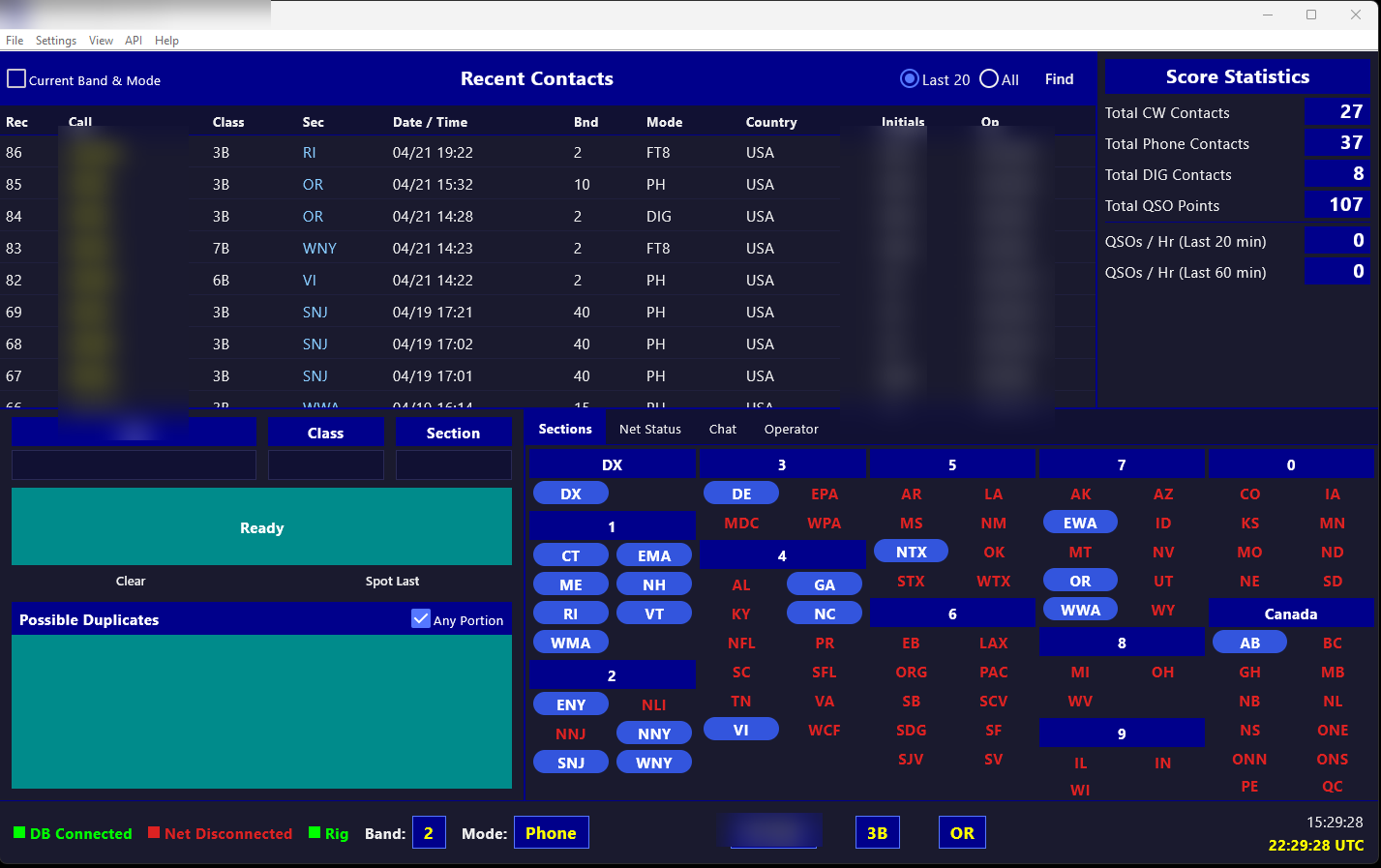
FD ASSIST main window: QSO entry panel on the left, running QSO log on the right, score tally along the bottom.

Setup

Station configuration in one place

Pick your club call, operator class, section, and power level. Settings persist and auto-load on next launch.
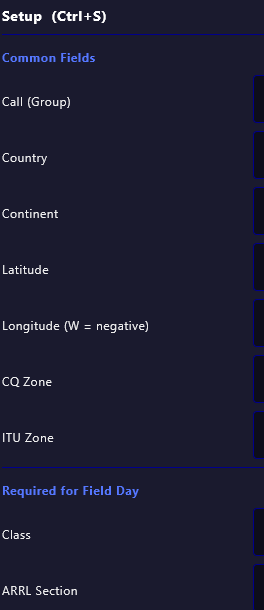
FD ASSIST Setup sidebar showing Field Day class, section, and operator class selectors.

N3FJP API

Talk to N3FJP over its native TCP API

Optional integration when a Windows station is acting as the master logger. Port, host, and connect status live in a single dialog.
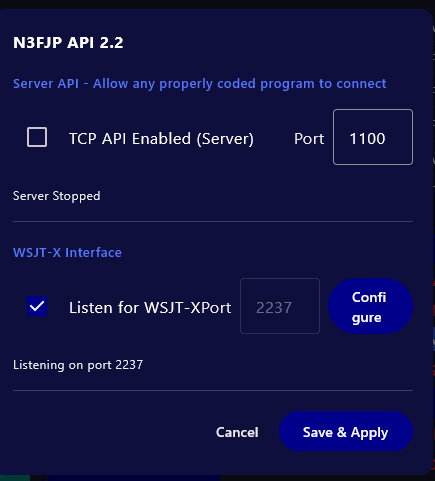
FD ASSIST N3FJP API dialog with host, port, and connect status.

Net Status

Multi-station awareness at a glance

Live grid of every station on the Field Day net. Color-coded by activity, heartbeat-driven, updates in real time. Lives as an inline tab alongside Sections in the main window — no popup, no modal, no extra window to wrangle.
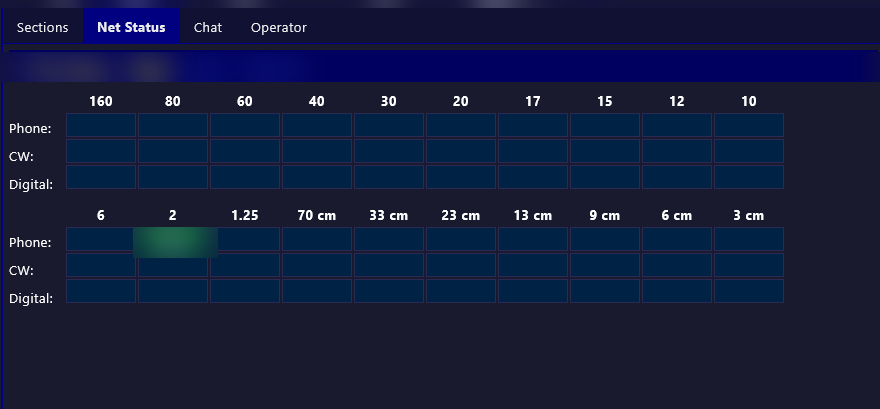
FD ASSIST Net Status grid showing station callsigns, last-seen timestamps, and activity indicators.

Chat

Field Day chat over TCP port 1000

Lightweight site-wide chat for coordinating antenna swaps, band changes, and shift handoffs. Opens as a tab in the main window alongside Sections, Net Status, and Operator — no popup, no separate window, no external service.
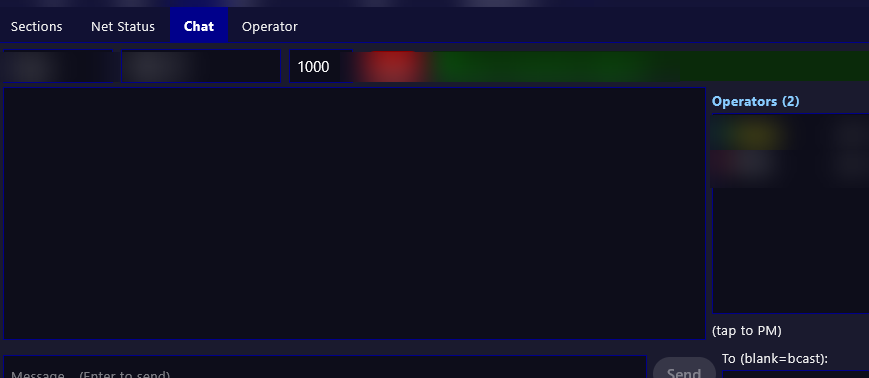
FD ASSIST Chat panel with a scrolling message log and compose box.

Operator

Per-operator score tracking

Track QSOs and mults by operator. Third-party initials can accompany the control operator's callsign, so guest operators working under supervision stay credited while the log stays clean and auditable. Like Net Status and Chat, it lives as an inline tab in the main window — no modal, no popup.
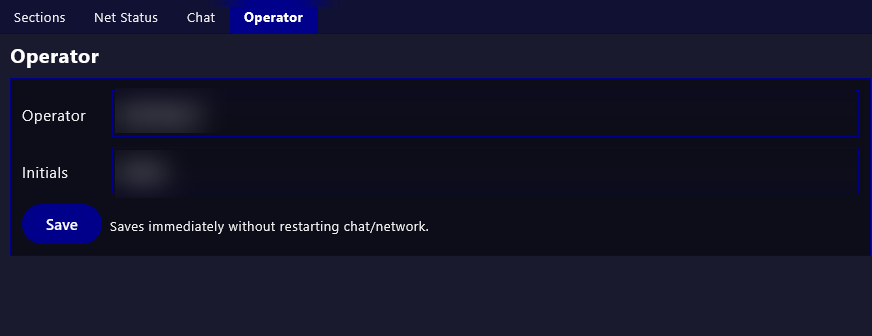
FD ASSIST Operator panel showing current operator callsign, initials, and session score.

Themes

Dark outside, light inside

Day or night tent, FD ASSIST adapts. Dark theme for tarped shacks; light for bright morning shifts.
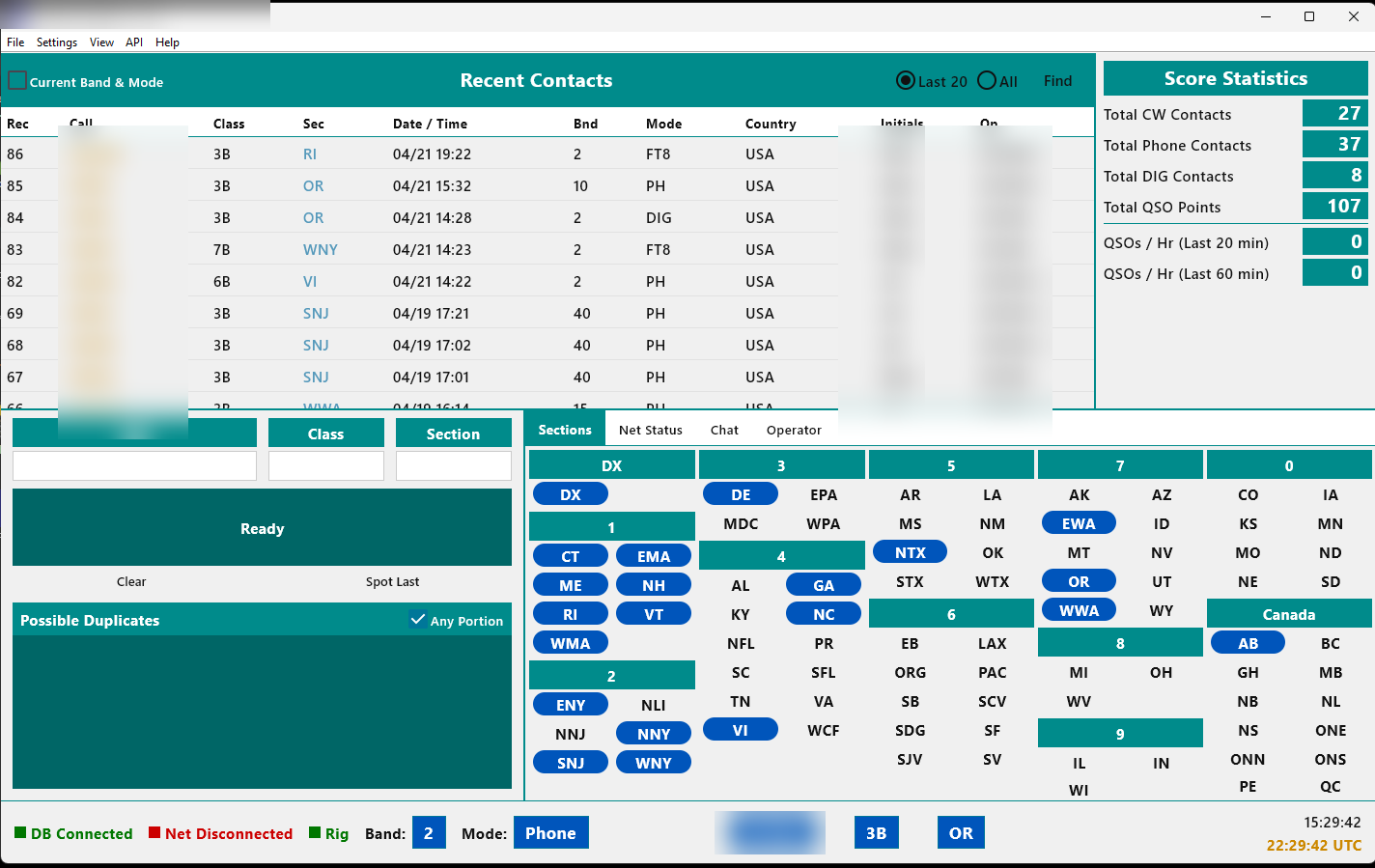
FD ASSIST main window rendered in light theme.

Download

Windows, Linux, and macOS builds are all available. macOS builds compiled by NI7RO.

macOS Available · beta

FD ASSIST for macOS

Version
v1.2.3
Architectures
Apple Silicon + Intel
Signing
Unsigned (Gatekeeper bypass needed)
First-launch instructions (unsigned build)
  1. Mount the .dmg (or unzip the .zip) and drag FD ASSIST into /Applications.
  2. In Applications, right-click (or Control-click) FD ASSIST → Open.
  3. Click Open in the warning dialog. Future launches are normal double-clicks.

No right-click Open? Double-click once, then System Settings → Privacy & Security → Open Anyway.

macOS builds compiled by NI7RO. Report issues to fd@kk7ma.com.

What's new

Release notes are pulled live from the same changelog.txt each platform's auto-updater reads in-app. Each OS ships its own build stream.

v1.4.0

  • View -> Statistics: full contest summary report dialog (band/mode table, ARRL sections for FD or Counties/States/DXCC for 7QP, operating period with break deductions, avg Qs/Hr, by-station breakdown, unique call count, power multiplier + final score); Copy to Clipboard with confirmation flash; selectable text
  • WARC band warning: status bar band chip turns red with tooltip on 60/30/17/12m; Net Status This Station header and grid cell also turn red — logging is never blocked
  • Rig control: macOS serial port filter (cu.* only — tty.* require DCD assertion that CAT never provides); Yaesu new-CAT mode-set prefix fix (FT-710/991A/FTDX-10 etc.); USB-D/DATA-U (FT8/FT4 mode) now correctly classified as Digital
  • Select Contest no longer blocked when target DB does not exist yet — switch contest, then configure path after restart
  • Chat status bar no longer reflowing on long connection-refused messages

v1.3.0

  • Multi-contest framework: File -> Select Contest dialog with per-contest MDB paths
  • 7QP (In Region) support: contest-driven entry form, county autocomplete with keyboard nav, My County setup, 7QP-aware score panel
  • Counties tab (adaptive layout) + States tab + state-grouped map for 7QP
  • File -> Create Local Database (cross-platform standalone mode, ships empty N3FJP-compatible MDB templates)
  • Native OS file pickers for Open/Save (fixes Windows JFileChooser SMB hang)
  • Cache tblContacts column names in DBService (one FileChannel.open per log over SMB)
  • Rig frequency now appears on initial connect (clears stale cache in RigService.start)
  • API broadcastEnterevent restored on contest-write path
  • ContestUtils consolidation + CountiesService thread safety (@Synchronized load)
  • Score panel scrolls so 7QP's 11 lines no longer clip
  • Tab cycle skips RSTr/RSTs; Section editable; Call narrower; Section wider
  • Find button now actually filters contacts (partial-match, case-insensitive)
  • Real N3FJP column names on DB writes (fldRstR / fldCountyR / fldSPC / fldCountryDXCC)
  • Stop writing decorative fldPoints (follow N3FJP convention)

v1.2.7

  • operator chips + find filter + rig-reply gate + appearance under View + v1 map tab
  • wire Sync Clocks; tighten chat send-row alignment
  • WSJTX/API Configure no-wrap + Operator panel auto-saves
  • route entry validation through logContact so global Enter validates too
  • make dialog Cancel/Test buttons visible in dark mode
  • validate Call/Class/Section on Enter with soft warn + focus jump

v1.2.6

  • open MDB FileChannel ourselves to force RW over SMB

v1.2.5

  • disable ProGuard optimizer to fix Jackcess writes over SMB

v1.2.4

  • surface real DB error to user, keep commons-lang3 from ProGuard
  • write LogData.edf trigger file so edits propagate to peer N3FJP clients

v1.2.3

v1.2.2

v1.2.1

  • keep Apache Commons Logging classes from ProGuard obfuscation (fixes "Failed to launch JVM" on Windows/Linux/macOS)
  • add macOS icon.icns and force LF line endings for shell scripts

v1.1.16

  • enable ProGuard obfuscation for release builds and add Linux tarball

v1.1.15

  • Updated website with Linux release
  • Fixed country files case-sensitivity bug on Linux

v1.1.14

  • OS-aware update URLs — Windows /w/, Linux /l/